Memories
What the assistant remembers between conversations — and how to see, correct and delete it.
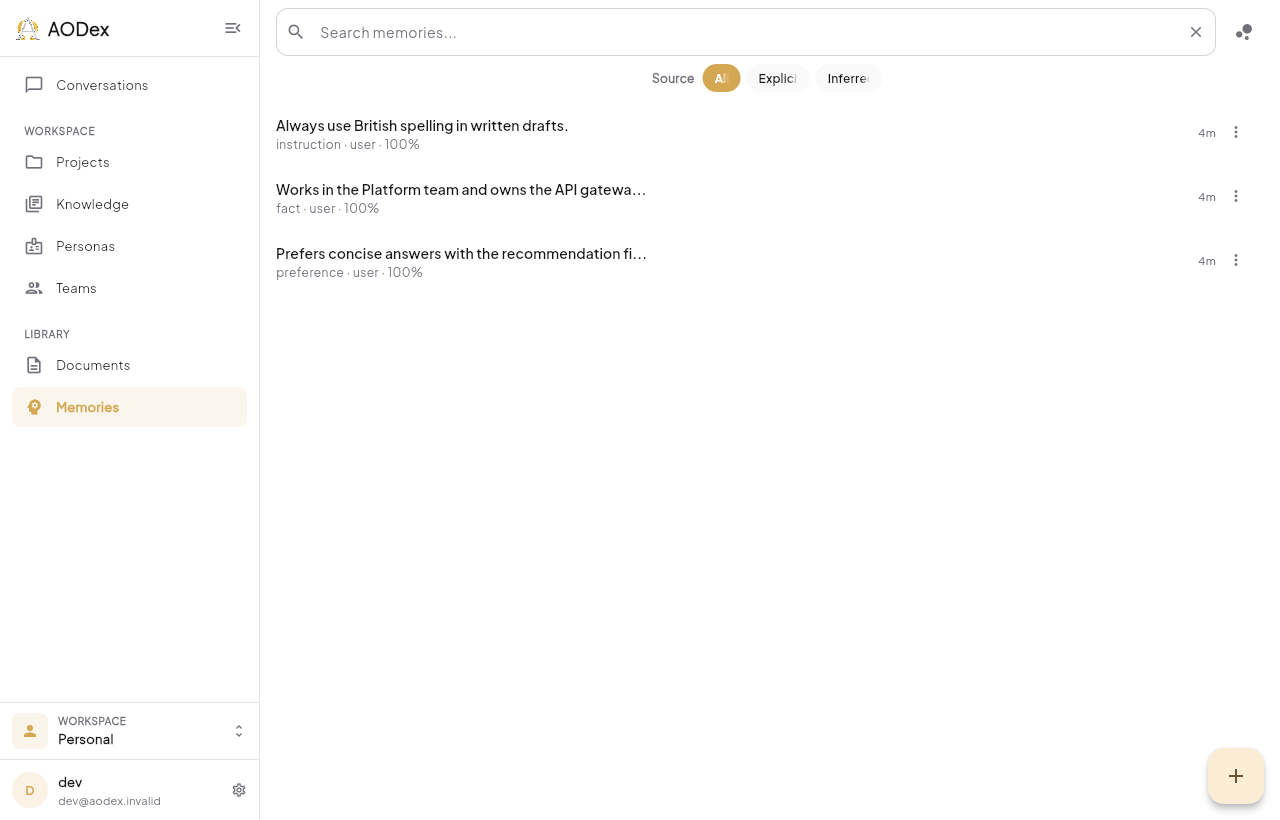
Memory is what stops every conversation starting from zero. AODex keeps a store of things worth carrying forward, and — this is the part that matters — shows you all of it.
Two ways a memory gets there
| Origin | Meaning |
|---|---|
| Explicit | You added it. |
| Inferred | The assistant learned it from a conversation. |
Inferred memories are saved and used in later chats straight away. There is no approval step.
To see them, open Memories and set Source to Inferred. Each one shows a confidence score. You can edit or delete any of them. A deleted memory is no longer used in chats.
Want AODex to stop remembering? Turn off Personal memory in Profile and preferences. AODex then stops saving new memories and stops using saved ones in your chats. Memories you already have stay in your library until you delete them.
What a memory looks like
| Field | Notes |
|---|---|
| Content | The memory itself. Required. |
| Memory Type | fact, preference, instruction or context. |
| Level | user, project or team — how widely it applies. |
| Tags | Comma-separated, for your own filtering. |
| Confidence | Shown for inferred memories. |
Type and Level are independent of origin: an explicit memory still has a type, and an inferred one still has a level.
Adding, editing and deleting
Add Memory for something you want the assistant to know without waiting for it to work that out. Edit Memory to correct one — a wrong memory is worse than a missing one, because it is applied confidently.
Delete Memory removes it. AODex confirms with Memory deleted.
Seeing the shape of it
Two views:
- List view — everything, filterable.
- Graph view — entities and the relationships between them. Empty at first: Memory entities and relationships will appear here as your AI learns. Each memory shows its Connections count.
The graph is useful when you are trying to work out why the assistant believes something — it shows what a memory is attached to.
Turning it off for one conversation
Include saved memories lives in Conversation context. This controls whether memory is consulted in a given thread. Switching it off does not delete anything.
Getting it all out
Memories are one of the categories in Export your data.